Advertising & Branding /
Exhibition Graphics: File Setup, Bleed and Panel Joins
Exhibition graphics print and install correctly when artwork extends into bleed, key content stays inside safe zones, seams are planned, colour and PDF/X settings match the printer and every panel is proofed.
By Ashker
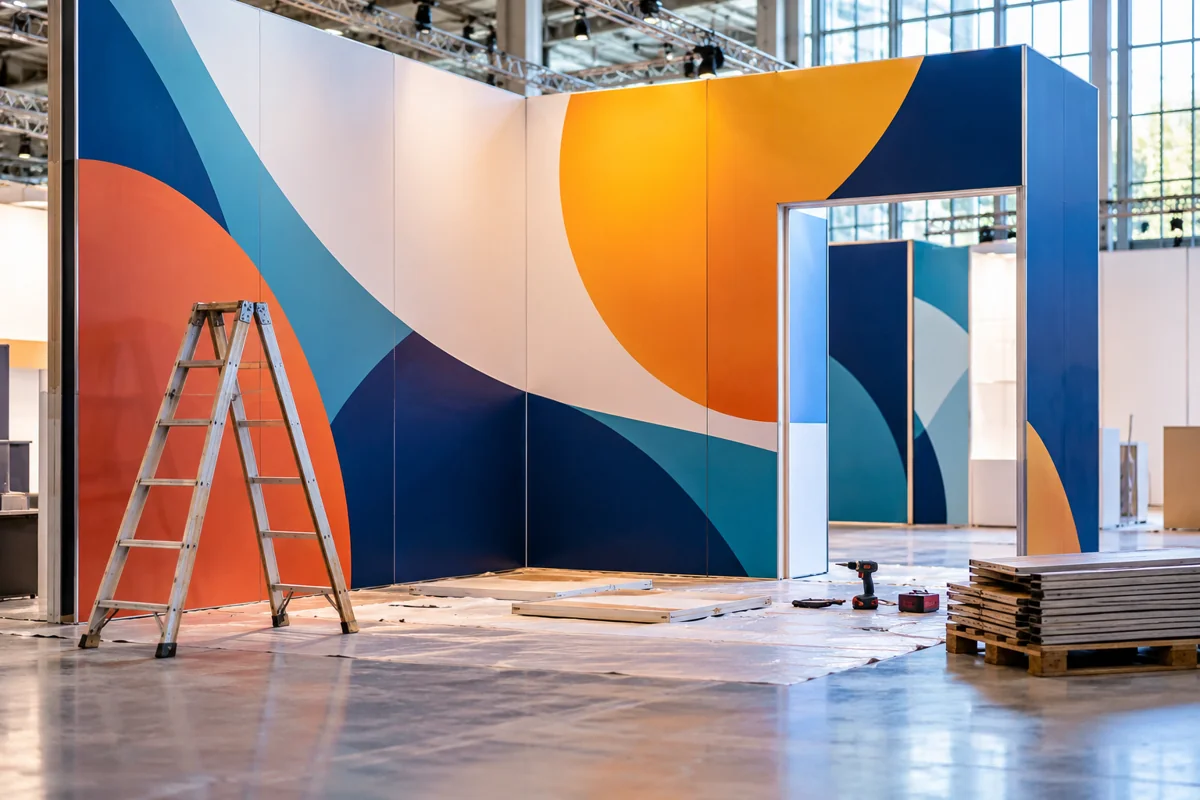
Exhibition walls at venues such as Dubai World Trade Centre and ADNEC are large, close-up and brightly lit. Visitors notice every white edge, cut-off word and misaligned panel join at opening. Some of those problems can start in the artwork file itself, long before printing. Fixing them after printing usually means reprinting panels at short notice before build-up day.
This guide explains how to set up exhibition graphics files so they print and install correctly first time. It covers bleed, safe zones, panel seams, colour settings, PDF export and proofing. It refers to Adobe's Illustrator documentation on bleed and PDF/X standards, plus Dubai World Trade Centre rules. Each section ends with a short answer for your design and events team.
How much bleed do exhibition graphics need?
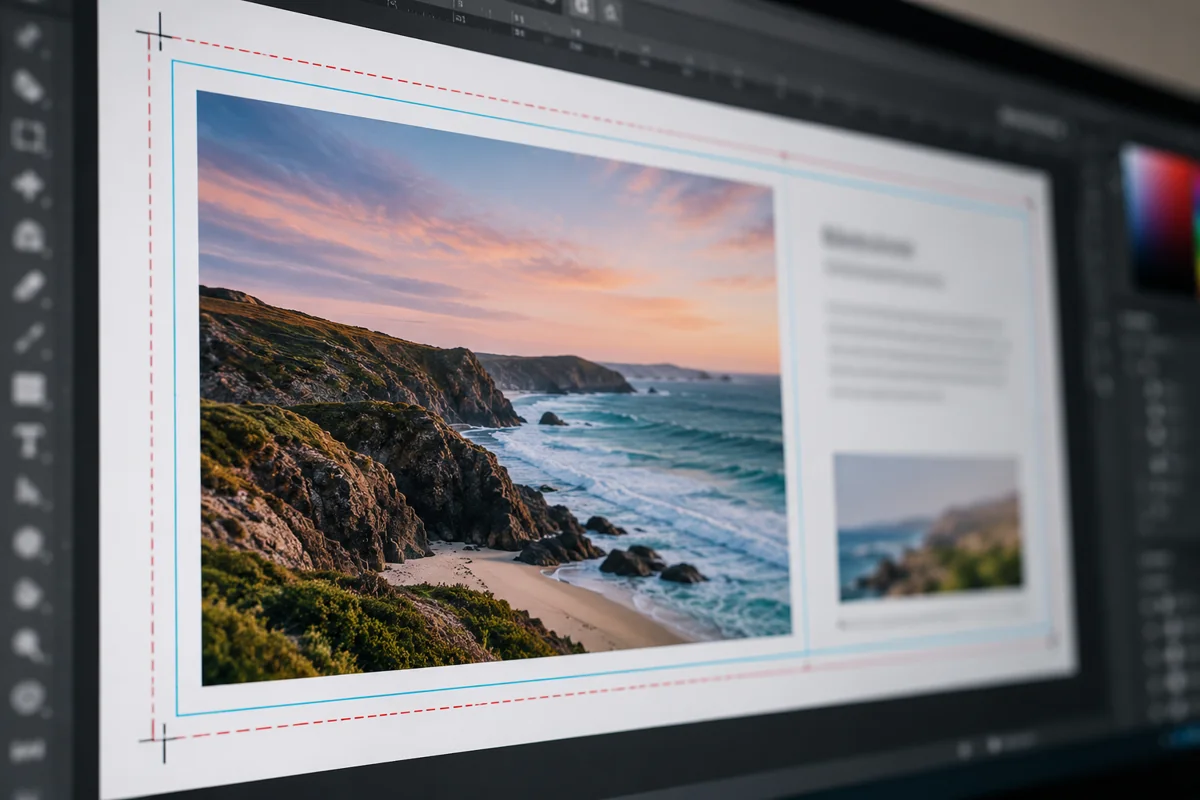
Adobe's Illustrator help defines bleed as the amount of artwork that falls outside the crop area and trim marks. It describes bleed as a margin of error, so ink reaches the edge after trimming. A press bleed should be at least 18 points, according to Adobe.
Exhibition printers may ask for more bleed than standard print, especially where panels wrap around frames. Always use the bleed size in your printer's specification sheet for each panel type. Extend backgrounds and images fully into the bleed, never stopping at the trim line.
Quick answer: Exhibition Graphics
Adobe defines bleed as artwork beyond the trim, as a margin of error, and suggests at least 18 points for press bleed. Always follow your exhibition printer's own bleed specification.
Where should the safe zone sit?
The safe zone is the area inside the trim where important text, logos and faces should stay. Anything closer to the edge risks being trimmed, wrapped around a frame or hidden by fixings. Your printer's template should show the safe zone for each panel size.
On exhibition walls, also consider what visitors can actually see. Counters, screens and furniture hide the lower part of walls, so keep key messages high. The DWTC health and safety handbook limits shell scheme stands to 2.50 metres, which affects how tall graphics can be.
Quick answer: Exhibition Graphics
Keep text, logos and faces inside the safe zone shown on your printer's template. Place key messages high, because counters and furniture often hide the lower part of exhibition walls.
How should artwork handle panel seams?
Large exhibition walls are usually printed as several panels that join together on site. Avoid placing faces, small text or logos across a seam, where even slight misalignment shows clearly. Ask the printer where seams will fall before finalising the layout, not after proofing.
Some printers add overlap at each seam so panels can be butted or overlapped neatly. Set up artwork at full scale or an agreed proportion, such as one tenth, with seam positions marked. Our guide to reusable exhibition branding covers modular panel systems that travel well.
Quick answer: Exhibition Graphics
Ask the printer where seams fall, and keep faces, small text and logos away from them. Set up artwork at full or agreed scale with every seam position clearly marked.
Which colour and file settings should you use?
Ask the printer which colour profile and file format they want before starting the design work. Many large-format printers work from CMYK files, but some print wider colour ranges from RGB or specific profiles. Convert brand colours using the printer's guidance rather than guessing CMYK values.
Adobe's PDF options guide explains that PDF/X standards are defined by ISO and apply to graphic content exchange. It names PDF/X-1a, PDF/X-3 and PDF/X-4 as the most widely used standards for print publishing. Export using the PDF/X standard your printer specifies for the job.
Quick answer: Exhibition Graphics
Confirm the colour profile, file format and PDF/X standard with your chosen printer before designing anything. Adobe lists PDF/X-1a, PDF/X-3 and PDF/X-4 as the most widely used print publishing standards.
How should exhibition artwork be proofed?
Request a digital proof showing trim, bleed, safe zones and seam positions for every single panel. Check spelling in both English and Arabic, phone numbers, website addresses and QR codes carefully. Test every QR code from a printed sample at a realistic viewing distance.
For brand colours and large photographs, ask for a printed colour proof on the actual material. Allow time for corrections before the venue's build-up deadline, because rushed reprints at short notice usually cost more. Our guide to roll-up banner artwork covers smaller portable event graphics too.
Quick answer: Exhibition Graphics
Request a digital proof showing trim, bleed, safe zones and seams, and check spelling and QR codes. Order a printed colour proof for brand colours and photographs on real material.
Takeaways: Exhibition Graphics
Extend artwork into bleed, following your printer's specification, and keep key content inside the safe zone. Place important messages high on exhibition walls, because counters and furniture hide the lower area. Keep faces, small text and logos away from panel seams, and mark every seam. Confirm colour profiles and PDF/X settings, then approve both digital and printed proofs before production.
Catch file problems before the printer does
Checking artwork files during design catches bleed, placement and export problems before they reach costly production. Ask your printer for templates and specifications before the design starts, not after approval. Set bleed, safe zones and seams on accurate, full-scale panel layouts from the very beginning. Then proof every panel carefully and leave enough time for corrections before the build-up deadline.
Auronix Advertising coordinates exhibition and event branding in the UAE, from artwork setup to printing and installation. Send us your stand plan, venue, show dates, organiser's exhibitor manual and any existing artwork. We will supply templates, check your files for common errors and prepare proofs for approval. Request a quote early, ideally several weeks before the venue's official build-up date.
Sources: Exhibition Graphics
FAQs: Exhibition Graphics
What is bleed in exhibition printing?
Adobe defines bleed as artwork that falls outside the crop area and trim marks. It provides a margin of error, so ink still reaches the edge after panels are trimmed.
How much bleed should exhibition graphics have?
Follow your printer's specification, because large panels and frame systems need different bleed amounts. Adobe notes that a press bleed should be at least 18 points for general print jobs.
What is a safe zone?
It is the area inside the trim where important text, logos and faces should stay. Content outside it risks being trimmed off, wrapped around frames or hidden by stand furniture.
How do I avoid problems at panel seams?
Ask the printer exactly where seams will fall, then keep faces, small text and logos well away from them. Mark every seam position clearly on the full-scale layout before proofing.
Should exhibition graphics be CMYK or RGB?
It depends on the printer's equipment and workflow, so ask them before starting any design work. Many large-format printers work from CMYK files, while some accept RGB or specific profiles.
Which PDF format should I export for printing?
Use the exact PDF/X standard and settings your printer specifies for the specific job. Adobe names PDF/X-1a, PDF/X-3 and PDF/X-4 as the most widely used standards for print publishing workflows.
How tall can shell scheme graphics be at DWTC?
The DWTC health and safety handbook sets a maximum height of 2.50 metres for shell scheme stands. Check the organiser's exhibitor manual for exact graphic panel sizes and fixing methods.
How do I check QR codes on exhibition graphics?
Test every QR code from a printed sample at a realistic visitor viewing distance before full production. Make sure each linked page loads quickly and works well on mobile phones.
Do I need a printed colour proof?
For brand colours and large photographs, a printed proof on the actual material is the safest check. Screen colours rarely match printed colours exactly, especially under bright exhibition hall lighting.
Can Auronix prepare and print exhibition graphics?
Yes, Auronix Advertising prepares exhibition graphics and coordinates printing and installation for UAE venues. We provide templates, check files for bleed and safe zones, and supply proofs well before production.
