Traffic Fell Off a Cliff After the Migration: A Recovery Runbook

Short Answer
When traffic drops after a migration, rule out tracking errors and leftover noindex tags first, then fix missing redirects, old internal links and wrong canonicals, and monitor recovery in Search Console.
A new website launches, the team celebrates, and then organic traffic falls sharply within a week or two. Enquiries slow down, sales staff start asking questions and nobody is sure whether the drop is temporary or serious. Panic often leads to random changes that make diagnosis even harder. A calm, ordered checklist works much better than guessing under pressure from management.
This runbook explains what to check first when traffic drops after a website migration in the UAE or elsewhere. It covers tracking errors, blocked pages, redirect gaps, internal links, canonical tags and realistic recovery timescales. It relies on Google Search Central's documentation on site moves with URL changes. Each section ends with a short answer for your marketing team.
What should you check in the first hours?
Confirm the drop is real before changing anything. Compare Google Search Console clicks with your analytics, because a missing tracking tag can look exactly like a traffic collapse. If Search Console clicks stay stable, check measurement and tracking before assuming major ranking losses.
Next, check whether the new site is accidentally blocking search engines. Staging sites often carry a noindex tag or a restrictive robots.txt file that accidentally goes live. Test several important pages with the URL Inspection tool in Search Console to confirm Google can crawl and index them.
Quick Answer
Compare Search Console clicks with analytics to rule out broken tracking. Then check for leftover noindex tags or robots.txt blocks from staging, using the URL Inspection tool on key pages.
How do you find missing or wrong redirects?
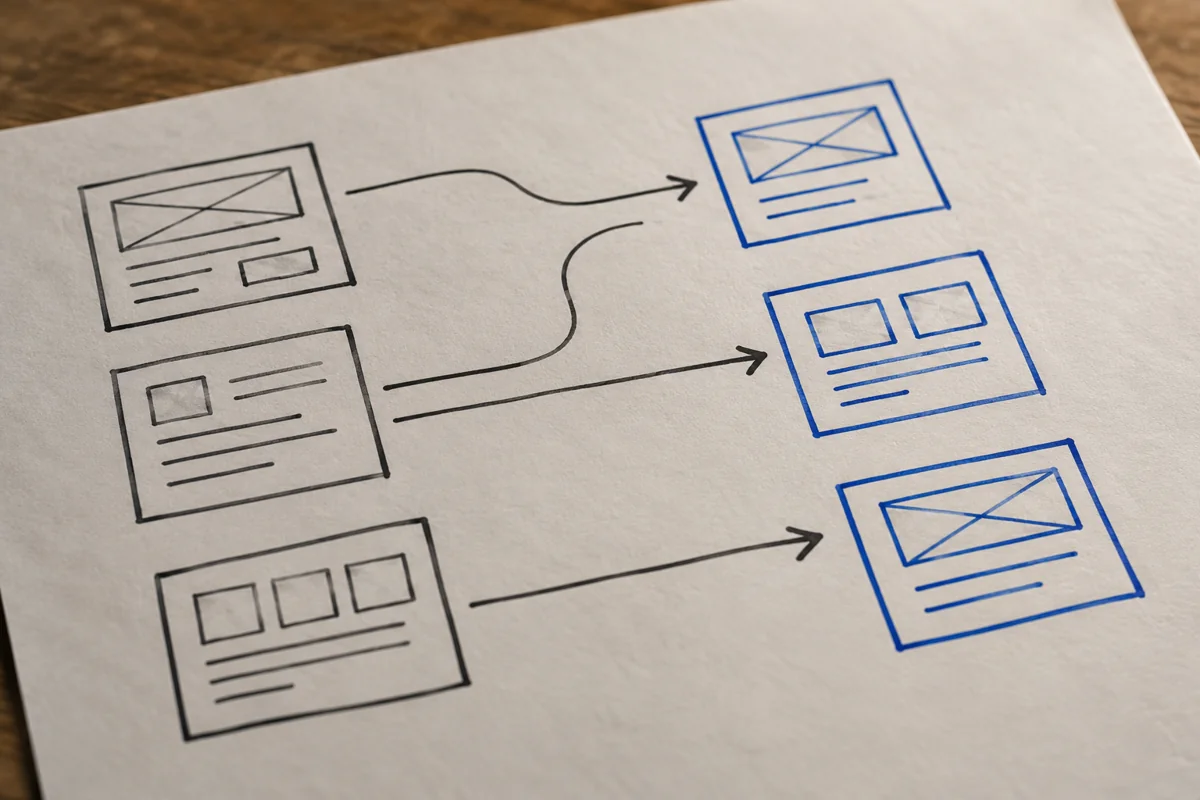
Build a list of old URLs from the previous sitemap, analytics landing pages, Search Console and backlink reports. Test every old URL with a crawler and record its status and final destination in a spreadsheet. Missing redirects usually show up as 404 errors on pages that previously earned traffic.
Google recommends permanent server-side redirects, such as 301 or 308, where possible. It also advises against redirecting many old URLs to one irrelevant destination, such as the home page. Redirect each old page to its closest new equivalent, page by page.
Quick Answer
List old URLs from sitemaps, analytics and Search Console, then test each one carefully. Google recommends permanent 301 or 308 redirects to the closest matching page, not the home page.
Which internal link and canonical mistakes cause drops?
Internal links that still point to old URLs force visits through redirects, adding hops for visitors and crawlers. Google advises updating internal links on the new site from the old URLs to the new ones. Menus, footers and blog articles are common places where old links survive.
Canonical tags cause damage when they point to the staging domain, the old site or the wrong page, steering Google away from the right version. Google recommends a self-referencing canonical on each new URL. Our website migration checklist covers these checks before launch.
Quick Answer
Update internal links to point directly to new URLs, and give each new page a self-referencing canonical. Canonicals pointing to staging or old domains can stop correct pages being indexed.
How long should recovery take after fixes?
Some ranking fluctuation is normal, even after a carefully planned and well-run migration. Google says that for medium-sized websites, it can take a few weeks or more for most pages to move in its index. Larger sites can take longer, so judge progress over weeks rather than individual days.
If the domain changed, submit a Change of Address in Search Console for the old site. Google says redirects should generally stay in place for at least one year. Removing them early can undo the recovery you have worked hard for.
Quick Answer
Google says medium-sized sites can take a few weeks or more to move. Keep redirects for at least one year, and use the Change of Address tool for domain changes.
How do you monitor whether the recovery is working?
Track the individual pages that lost the most clicks, not just total site traffic. Compare their clicks, impressions and positions in Search Console week by week after each fix. Record every change with its date so you can connect improvements to specific fixes.
Watch the Page Indexing report closely for growing errors, such as pages not found or excluded by noindex. Keep crawling the old URL list weekly until every important page redirects correctly. Our guide to redesigning a website without losing SEO explains how to avoid repeating the problem.
Quick Answer
Track the pages that lost most clicks weekly in Search Console, and log every fix with its date. Watch indexing reports and keep testing old URLs until redirects are complete.
Main Takeaways
Confirm the drop in Search Console before changing anything, and check for leftover noindex tags or robots.txt blocks. Redirect each old URL with a permanent 301 or 308 redirect to its closest matching new page. Update internal links in menus, footers and articles, and use self-referencing canonicals. Recovery timing varies by site, so keep redirects for at least one year.
Fix in order, then give Google time
Post-migration traffic drops feel urgent, but random changes usually make diagnosis much harder for everyone involved. Work through tracking, blocking, redirects, internal links and canonicals in that exact order. Log every fix with its date and the exact pages it affects. Then give Google several weeks to process the changes before judging the final result.
Auronix offers website recovery for UAE businesses, including organic traffic recovery after failed or rushed migrations. Send us your current website address, launch date, old sitemap if available and Search Console access details. We will audit redirects, indexing, internal links and canonical tags, then prioritise fixes for your most valuable pages and enquiry routes. Request a quote to start the recovery process quickly and safely.
Sources & References
FAQs
Questions readers usually ask next
These FAQs are written to match the topic of this post and to help readers move from understanding to action.
Why did my traffic drop after a website migration?
Common causes include missing redirects, leftover noindex tags, blocked robots.txt files, old internal links and wrong canonical tags. Broken analytics tracking can also look exactly like a real traffic drop.
How do I know if the drop is real?
Compare Google Search Console clicks with your analytics data for the same period and pages. If Search Console clicks are stable, the problem is probably tracking rather than your rankings.
Which redirect type should I use after a migration?
Google recommends permanent server-side redirects, such as 301 or 308, wherever your setup allows them. Redirect each old URL to its closest matching new page rather than the home page.
Can I redirect all old pages to the home page?
No, Google advises against redirecting many old URLs to one irrelevant destination, such as the home page. Redirect each old page to its single most relevant new equivalent page instead.
How long should I keep migration redirects?
Google says redirects should generally stay in place for at least one year after a site move. Removing them earlier can cause lost rankings and broken links from other websites.
How long does traffic take to recover after a migration?
Google says medium-sized websites can take a few weeks or more for most pages to move in its index. Larger sites can take longer, especially when unresolved technical errors remain.
What is a self-referencing canonical tag?
It is a canonical tag on a page that points to that same page's URL. Google recommends adding one to each new URL after a site move with URL changes.
Do I need to use the Change of Address tool?
Use it when moving your website to a new domain or subdomain. Google says it does not apply to moves from HTTP to HTTPS or between www and non-www versions.
Should I update internal links after adding redirects?
Yes, Google advises updating internal links on the new site from old URLs to new ones. Links in menus, footers and older blog articles often still point to old addresses.
Can Auronix help recover traffic after a migration?
Yes, Auronix audits redirects, indexing, internal links and canonical tags after failed migrations. We prioritise fixes for the pages that lost the most traffic and monitor recovery in Search Console.
Related Resources
Need help choosing the right stack?
We help UAE businesses keep public pages fast, indexable, and conversion-friendly, then reserve heavier frameworks for the parts that actually need them.
Built for search-ready UAE websites that need clarity, speed, and trust.
